What Does Your Public IP Address Actually Reveal About You? (If Anything)
Every time you visit a website, play an online game, or connect to almost any internet service, your device shares a public IP address. This is required for the internet to function—servers need a return address to send data back to you. But how much does that single number actually reveal? The short answer: surprisingly little about you as a person, and more about your network connection. The longer answer involves important nuances about geolocation accuracy, tracking, and real versus mythical risks.
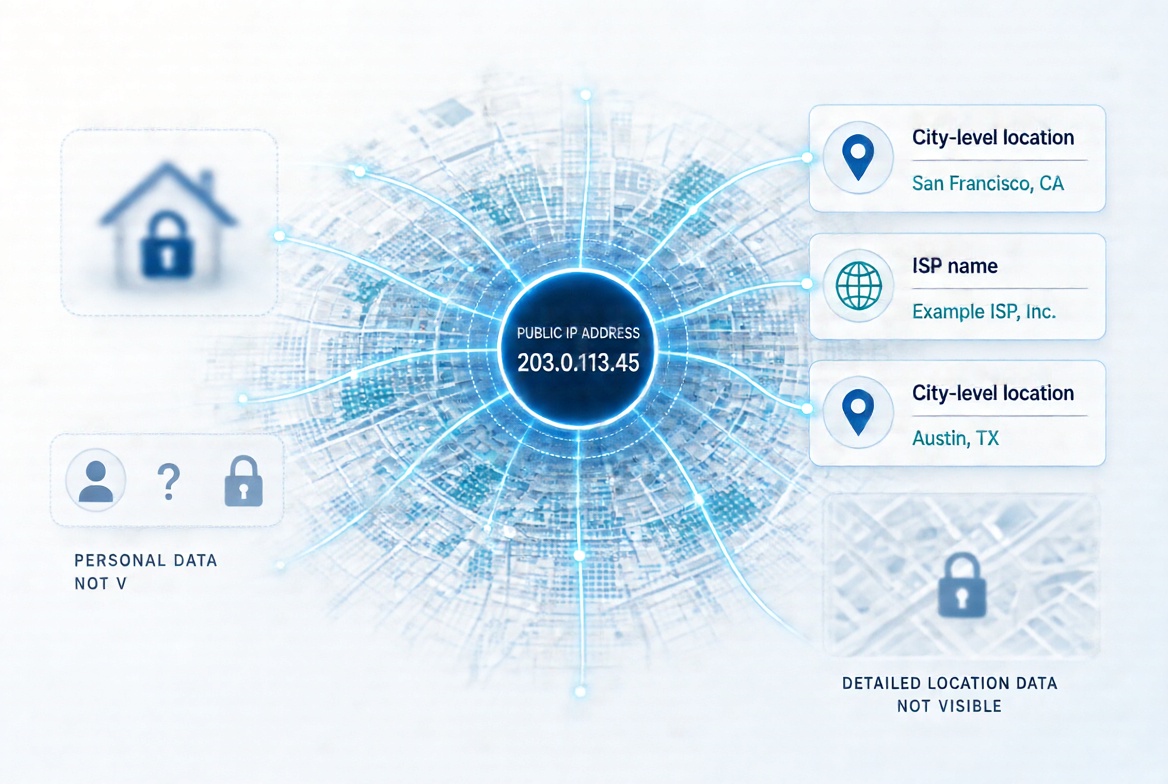
What Websites, Advertisers, and Trackers Can See from an IP Alone
A public IP address does not contain your name, street address, phone number, email, or any personal identifiers. It is simply a network routing label assigned by your Internet Service Provider (ISP) or carrier (or by a VPN if you use one). Sites look it up in commercial geolocation and intelligence databases (such as those from MaxMind, IP2Location, or IPinfo) and typically learn three main things:
- Approximate geographic location: Country-level accuracy is very high—around 99.8% according to major providers like MaxMind. Region or state-level accuracy is often around 80% in places like the United States. City-level accuracy is lower and more variable, commonly cited at roughly 55–80% (or about 66% within a 50 km radius for U.S. addresses in MaxMind’s data). Independent research shows median errors of a few to tens of kilometers on fixed broadband, and far larger (often 100+ km) on mobile networks due to carrier-grade NAT (CGNAT) and shared gateways. The result is usually a metro area or ISP hub, not a precise neighborhood or home. Coordinates returned are estimates with an accuracy radius, not GPS.
- Your ISP or network provider: This is nearly always visible via public WHOIS/RDAP records and Autonomous System Number (ASN) data. Sites can see the organization that owns the IP block—e.g., Comcast, Verizon, a mobile carrier, a university, a business, a data center, or a VPN provider. They can often classify the connection type (residential, mobile, corporate, hosting/datacenter).
- Basic connection context: Whether the IP looks residential versus commercial or proxy-like, time zone inferences from the location data, and sometimes reverse DNS (hostname) information configured by the operator.
Advertisers and trackers use this for location-based ads, content localization, fraud detection, and as one signal in broader profiling. An IP can also serve as a semi-persistent identifier across sessions on the same network (especially if it is relatively static), helping link activity when combined with cookies, browser fingerprints, or account logins. Shared household or CGNAT IPs mean multiple people may appear under the same address.
What They Cannot See from an IP Alone
An IP by itself does not reveal:
- Your full name, exact home or street address, apartment number, or phone number.
- Your browsing history on other sites, files on your devices, passwords, or real-time GPS location.
- Which specific person or device on a shared network is responsible for a connection (especially under NAT or CGNAT).
- Any content of your traffic if it is encrypted (HTTPS, etc.).
Only your ISP (or mobile carrier) holds the mapping between a public IP (and timestamp) and a subscriber account. Releasing that typically requires a legal process such as a court order or subpoena. Random websites, advertisers, or individuals cannot obtain it through public tools.
Does Knowing Someone’s Public IP Pose a Real Threat?
For most ordinary users, knowing someone’s public IP is not a serious direct threat and is far from “completely unsafe” in the dramatic sense often portrayed online. Every website, game server, and many apps already see it as a matter of course. It is not secret information.
Realistic risks include:
- Approximate location tracking and profiling: Useful for targeted ads or content, and as one data point among many for cross-site correlation. Not precise enough to “find your house.”
- DDoS (Distributed Denial of Service) attacks: Flooding the IP with traffic can temporarily disrupt a home connection. This is more relevant to gamers, streamers, or small businesses with static IPs than casual users. Restarting a router often changes a dynamic residential IP.
- Port scanning and probing: Someone could scan for open ports or services. On a typical home setup behind a router’s Network Address Translation (NAT) and firewall, unsolicited inbound connections are blocked by default. Exploitation requires an actual vulnerable service exposed (rare on default consumer routers without port forwarding).
- Reputation or blocking: An IP can end up on blocklists (from spam, abuse, or shared use), leading to restricted access on some services. Corporate or university IPs can reveal an organization.
Common myths that are not realistic with an IP alone:
- Finding your exact street address or doxxing you.
- Directly hacking into your computer, phone, or accounts.
- Installing malware, viewing files, or controlling devices remotely.
- Stealing your identity or “hacking your Wi-Fi.”
Movies and online scare stories exaggerate these. Modern home networks and operating systems provide strong default protections against remote access via IP alone. Real compromises almost always require social engineering, phishing, malware the user runs, or other vulnerabilities—not just knowledge of an IP.
Bottom Line: Mostly Safe, With Context
Knowing a public IP reveals general city- or metro-level location and the ISP, which is useful for legitimate purposes (localization, analytics, security) and mildly useful for advertisers. It does not unlock personal identity or precise physical location for random parties. The bigger privacy picture involves combining the IP with cookies, fingerprints, logins, and other signals—not the IP in isolation.
For most people, the risk level is low. Practical steps if you want more privacy include using a reputable VPN (which replaces your visible IP with the VPN’s), keeping router firmware updated, avoiding unnecessary port forwarding, and using privacy-focused browsers or settings. Dynamic residential IPs already change periodically for many users.
Your public IP is a necessary piece of internet plumbing, not a master key to your life. Understanding its real limits is more useful than the fear surrounding it.